
Periodization
It is possible to periodize purchase and sales invoices in Acclouding
For periodization, proceed as follows for the purchase invoice:
- Create a periodic purchase item
Purchases -> Articles -> Select the prepayment balance account to which the prepayment will be initially posted as the financial account.
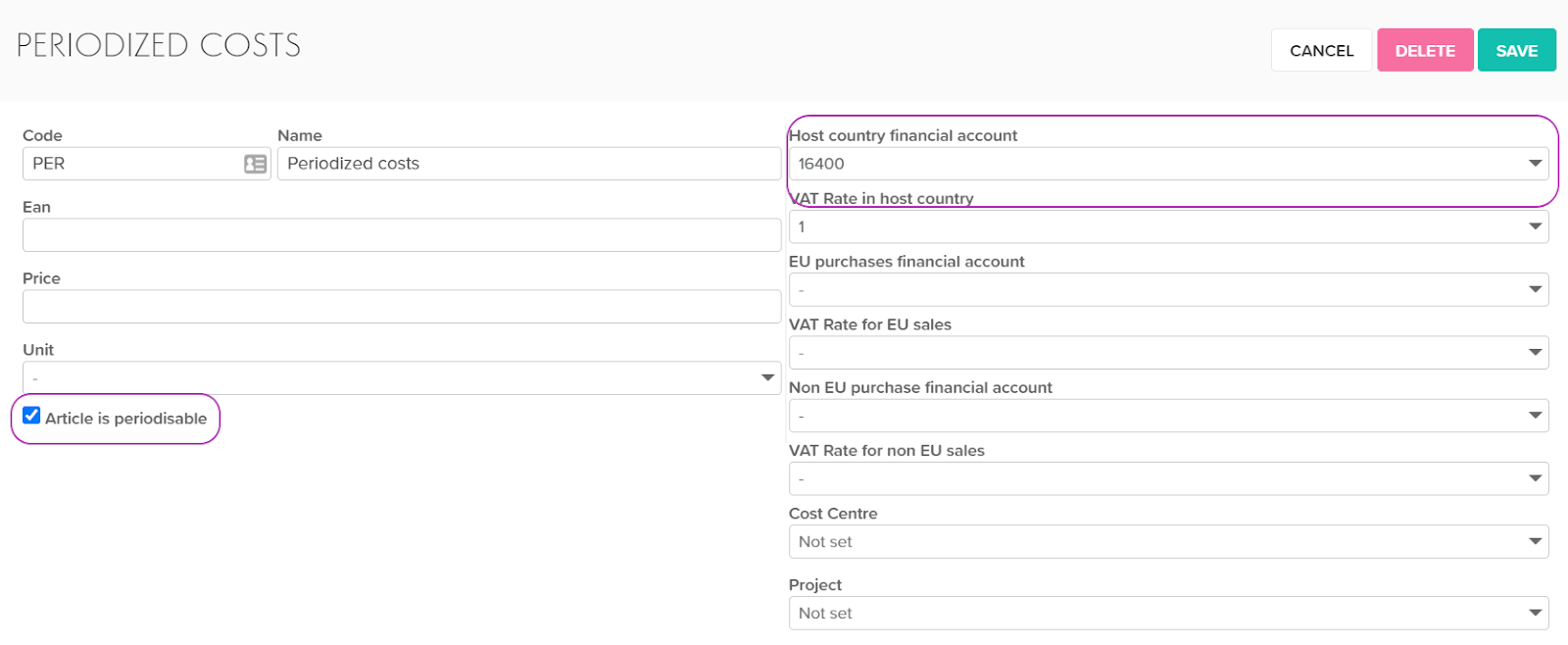
- Enter the purchase invoice, select the item to be periodized as the item:

- Save, lock the invoice. The Periodise button appears
- Choose from which date to periodize, number of periods (in months), select financial account (revenue account for sales invoice) -> Generate
- Acclouding offers periodizing steps, but you can change these amounts before approval. NB! It Will not be confirmed if the amount does not match the original prepayment amount.
- After saving, periodization entries appear
When periodizing a sales invoice, all operations are analogous.